What Makes a Rummy Master Different on Android Than on iOS?
What Makes a Rummy Master Different on Android Than on iOS?
The one thing most guides leave out is that being a Rummy Master is not a single skill set you carry unchanged from phone to phone. The rules of the game are the same everywhere, but the platform you play on quietly reshapes how you sort cards, how quickly you can discard, how you track melds, and how often the app interrupts you with ads, notifications or update prompts. A player who looks sharp on one operating system can look clumsy on another for a week, purely because the interface, screen proportions and background behaviour are different. If you are setting up on Android and wondering why friends on iOS seem to play the same game in a noticeably different rhythm, this breakdown explains what actually changes, what stays the same, and how to adjust your habits so your table sense survives the switch.
I have played rummy-style card apps on both Android and iOS for years, and I have watched plenty of friends install the same app on a new phone and immediately lose games they should have won. Almost never is it a rules problem. It is a muscle-memory problem. Android gives you more freedom in how you arrange your home screen, more variation in screen size, and more control over notifications, but it also gives you more ways to accidentally sabotage your own focus. iOS gives you a more uniform experience across devices, which is calming, but it also limits how much you can customise the way the app behaves around your play session. Understanding these differences is the difference between a strong player and a frustrated one.
Why the Same Rummy Master Feels Different on Android and iOS
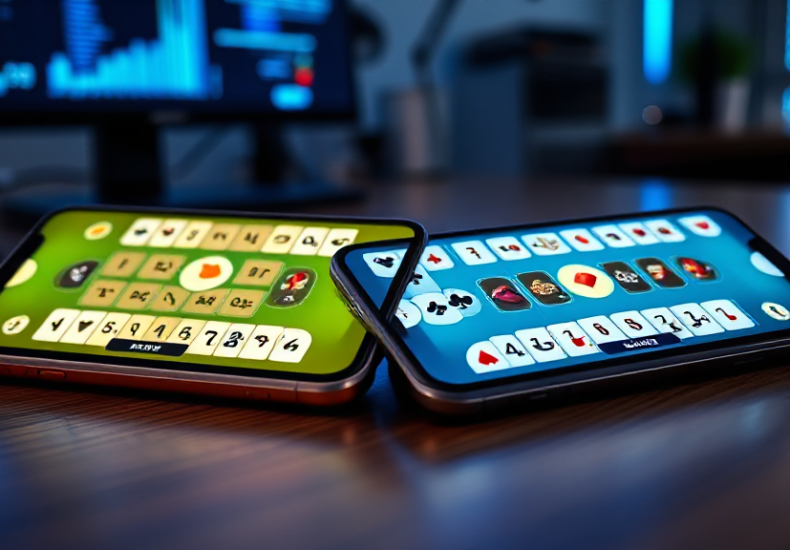
The first thing to understand is that the core game logic rarely changes between platforms. Card distribution, turn order, melding rules and scoring follow the same design, because developers typically build one rules engine and wrap it in two different interfaces. What changes is everything around that engine: the touch targets, the animations, the way the hand is laid out at the bottom of the screen, the placement of the discard and draw buttons, and the timing of prompts. On a large Android phone with a tall aspect ratio, your hand may wrap into two rows or scroll horizontally. On an iPhone with a different aspect ratio, the same hand may compress into a tighter single row. That tiny layout difference changes how fast you can scan your cards and decide your next move.
There is also the matter of how each platform handles background activity. Android is more permissive about apps running in the background, which means a rummy app can keep a session alive, refresh a lobby, or deliver a notification while you are doing something else. iOS is stricter, and tends to suspend apps more aggressively. In practice this means an Android player may return to a table exactly where they left it, while an iOS player may find the app has reloaded and returned them to a lobby. Neither is better in the abstract, but they create different habits. Android players learn to trust that the session persists; iOS players learn to finish a hand before switching apps.
Interface density is the third big factor. Android devices span an enormous range of screen sizes, from compact phones to foldables and tablets. A well-built rummy app adapts, but the adaptation is not always graceful. Buttons that sit comfortably under your thumb on a 6.1-inch phone may drift to an awkward corner on a 6.8-inch screen or a tablet. iOS devices are fewer and more predictable, so developers can tune spacing more precisely. If you are moving from iOS to Android, expect to spend a few sessions just relearning where your thumb needs to go.
Setting Up Your Rummy Master Experience on Android
When you install a rummy-style app on Android, the setup work you do before your first hand matters more than most people realise. Start by deciding where the app icon lives. If it sits on a crowded home screen next to social media and messaging apps, you will instinctively tap it during idle moments and play distracted. Move it to a dedicated folder or a second home screen page so that opening it is a deliberate choice, not a reflex. This sounds trivial, but the quality of your decisions in the first three turns of a hand depends heavily on whether you sat down intending to play.
Next, deal with notifications properly. Android gives you granular control, and you should use it. Turn off promotional and lobby notifications, and keep only the ones that matter, such as a turn timer warning if the app offers one. A steady stream of buzzes during a hand is one of the fastest ways to lose track of what has been discarded. While you are in settings, check battery optimisation. Some Android skins aggressively kill background apps, which can cause a rummy app to lose its session state. If your phone has a battery saver that is particularly eager, whitelist the app so it is not suspended mid-hand.
Screen and display settings deserve a mention too. If your phone supports a high refresh rate, enable it. Smoother animation makes card movement easier to follow, and following card movement is a real skill in rummy. If your device has a blue light filter or a colour-shifting night mode, be careful about enabling it during play, because it can make the difference between red and black suits harder to read at a glance. Finally, if you use gesture navigation, make sure the back gesture does not conflict with any swipe controls inside the app. A misread swipe that exits a table is a genuinely avoidable way to lose a hand.
For players who like to compare what is available before committing, browsing a curated listing of Android rummy apps is a sensible first move, since it lets you see how different apps present bonuses, ratings and installation details side by side rather than trusting a single store page. That kind of comparison saves a lot of uninstalling later.
What Changes When You Play Rummy Master on iPhone or iPad
On iOS, the experience is more consistent, and that consistency is both the strength and the limitation. You will generally find that the layout is tuned for a narrower range of screen sizes, so the hand, the meld area and the control buttons sit in predictable places. Animations tend to be smoother because the hardware and software are tightly coupled. If you are used to Android, the first thing you will notice is how little you have to think about the interface. That frees up attention for the actual game, which is a genuine advantage in longer sessions.
The trade-off is control. iOS gives you less freedom to customise notification behaviour, background refresh and battery handling. If the app decides to reload when you return to it, you cannot easily override that. You also cannot sideload an app from outside the App Store, which means you are limited to whatever the developer has published there. For most players this is fine, and arguably safer, but it does mean that a feature available in an Android build may arrive later or not at all on iOS.
iPad play is a separate case worth considering. On a larger screen, the hand layout often spreads out, and you can see more of the table at once. Some players find this makes meld planning easier because they can visually group cards without scrolling. Others find the larger touch targets slow them down, because their thumb has to travel further. If you play on both an iPhone and an iPad, expect your timing to differ between the two, and do not assume a strategy that works on one will feel identical on the other.
One more iOS-specific habit: because apps are suspended more aggressively, get into the routine of finishing a hand before you switch away. Checking a message mid-hand on iOS is more likely to cost you your session state than it is on Android, and losing your place in a close game is a frustrating way to drop a match you were winning.
Habits That Separate a Rummy Master From a Casual Player
Platform differences explain a lot of early confusion, but they are not what separates strong players from weak ones over time. The real divide is in habits, and those habits transfer across devices once you have built them. The first is discard tracking. Strong players do not just remember the last card thrown; they build a mental map of which suits and ranks have been discarded, and they use that map to decide whether to hold a card or let it go. This is far more important than any interface advantage, and it is the single skill that most improves with deliberate practice.
The second habit is hand organisation. On any platform, the way you arrange your cards affects how quickly you can spot a potential meld. Sort by suit, then by rank, and keep your partial melds grouped together. Do this consistently and your scanning speed improves without any change to the app. On Android, where hand layouts vary more between devices, consistent sorting also makes it easier to adapt when you switch phones, because your mental model of the hand does not depend on the exact pixel arrangement.
The third habit is session discipline. Set a limit before you start, whether that is a number of hands, a time window, or a stopping point based on results. Fatigue degrades decision-making long before you notice it, and the temptation to chase a bad run is strongest exactly when your judgement is weakest. A player who stops on schedule will outperform a player who plays twice as long, almost every time.
The fourth habit is reviewing losses honestly. After a session, ask whether you lost because of a bad draw, a bad discard, or a bad meld decision. Most players blame the draw. Strong players usually find at least one decision they would change. This is the habit that compounds fastest, and it works identically whether you are on Android, iOS, phone or tablet.
Finally, treat the app itself as a tool rather than a slot machine. The interface is there to serve your decisions, not to make them for you. Auto-sort features, hints and suggestions can be useful when you are learning, but leaning on them permanently stops you from developing the pattern recognition that defines a genuinely skilled player. Use them to check your thinking, not to replace it.
Choosing the Right Setup and Sticking With It
If you are deciding where to play, the honest answer is that both platforms can support high-level play. Android suits players who want control over notifications, background behaviour and device choice, and who are comfortable tuning their phone to reduce distractions. iOS suits players who value consistency and smooth performance, and who would rather not think about configuration at all. Neither is objectively superior, and the differences that matter most are the ones you can manage through habit rather than hardware.
What I would advise a friend is this: pick one primary device and play most of your serious sessions on it. Switching back and forth between Android and iOS every few days keeps resetting your muscle memory, and you never fully settle into the rhythm of either. Use your secondary device for casual hands only, or for browsing and comparing apps rather than competitive play. Once you have a stable setup, the interface fades into the background and the game itself comes forward, which is exactly where your attention should be.
It also helps to be selective about which apps you keep installed. Every extra rummy app on your phone is another set of notifications, another update prompt, and another temptation to play when you are not in the right frame of mind. Curate your list deliberately, keep the ones that suit your style, and remove the rest. A smaller, cleaner setup is easier to focus within, and focus is the resource that actually wins hands.
The last point is the one that ties everything together. Platform differences are real, and they are worth understanding, but they are a one-time adjustment cost, not an ongoing limitation. Once you have relearned where your thumb goes, tuned your notifications, and settled into a consistent routine, the device stops mattering. What remains is the game, the decisions, and the habits you bring to the table. Get those right on whichever platform you choose, and you will find that the label of Rummy Master has far less to do with the phone in your hand than with the discipline you bring to every hand you play.
Leave a Reply